Basket Random 2 Player: How to Play With a Friend (and Beat the CPU)
Published · 2 min read

Basket Random was made to be played with someone sitting next to you. One laptop, two people, one key each and a lot of shouting. Here is how to set it up and get the most out of it — plus how to win when you are playing alone.
Setting up a two-player game
- Start the game and choose two players on the menu.
- Player one takes W. Player two takes the Up arrow.
- Click inside the game once so it receives both keys.
On a small Chromebook keyboard, sit with player one on the left and player two on the right, matching the keys. Each of you controls both players on your team with your one key.
What the key does
Pressing your key makes both of your players jump and swing their arms forward. If a player's hands meet the ball, they grab it. Press again while holding it and they throw. That is the whole game — but when you press, and where your players are when you do, changes everything.
Winning a match
A match is first to five points. After each point the game shakes things up: the court might change, your players might change size, the ball might become something odd. Nobody gets too comfortable, which keeps matches between friends of different skill levels surprisingly close.
Playing against the computer
Choose one player and you take W against the CPU. The computer is not perfect, and you can beat it consistently with patience:
- Let it make the first move. The CPU often jumps early. Wait, then jump as the ball comes down.
- Throw from close to the hoop. Long throws are a gamble; short ones go in more often.
- Jump when it throws. The moment after a throw is a good time to knock the ball away.
- Do not mash. Constant pressing keeps your players in the air and out of position.
House rules for more fun
Once you have played a few matches, try some rules of your own:
- Best of three matches to decide a real winner.
- Winner stays on when there are more than two of you.
- No-look first point: the loser of the last match picks a silly handicap, like pressing only with a pinky.
- Swap keys each match so nobody can blame the keyboard.
Keeping it fair on one keyboard
Some older keyboards cannot register several keys at once, but Basket Random only needs two, so this is rarely a problem. If one player's key seems to stop working, click back into the game — the page may have taken focus.
More two-player games
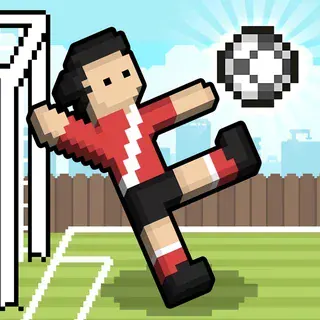
When you want a change, Soccer Random is the same idea on a football pitch. For more one-keyboard battles, try 12 MiniBattles, Sumo Party or Tank Trouble 2, all on this site.
More from the blog
- The Random Sports Games: Basket Random, Soccer Random and More
RHM Interactive turned one-button ragdoll physics into a whole series. How Basket Random compares with Soccer Random and the other Random games.